
Move your business to the cloud with confidence
Cloud migration services for SMEs across Northern Ireland.
Move files, servers and business systems away from ageing on-site infrastructure with a cloud migration planned around how your business works.
3PS helps businesses migrate to Microsoft SharePoint and Azure, from initial planning and migration through to ongoing support.
Move beyond the systems holding your business back
Older servers, shared drives and outdated ways of storing files can become harder to manage as your business grows.
A well-planned cloud migration can reduce your reliance on ageing on-site infrastructure and give your team better access to the files and systems they depend on. We help you decide what should move to SharePoint or Microsoft Azure, then plan the migration around your business.
Reduce reliance on on-site infrastructure
Move files and systems away from local servers, reducing the burden of maintaining on-site infrastructure.
Create clearer access to business data
Use the migration to simplify access, tighten permissions and leave outdated folder structures behind.
What Can You Move to the Cloud?
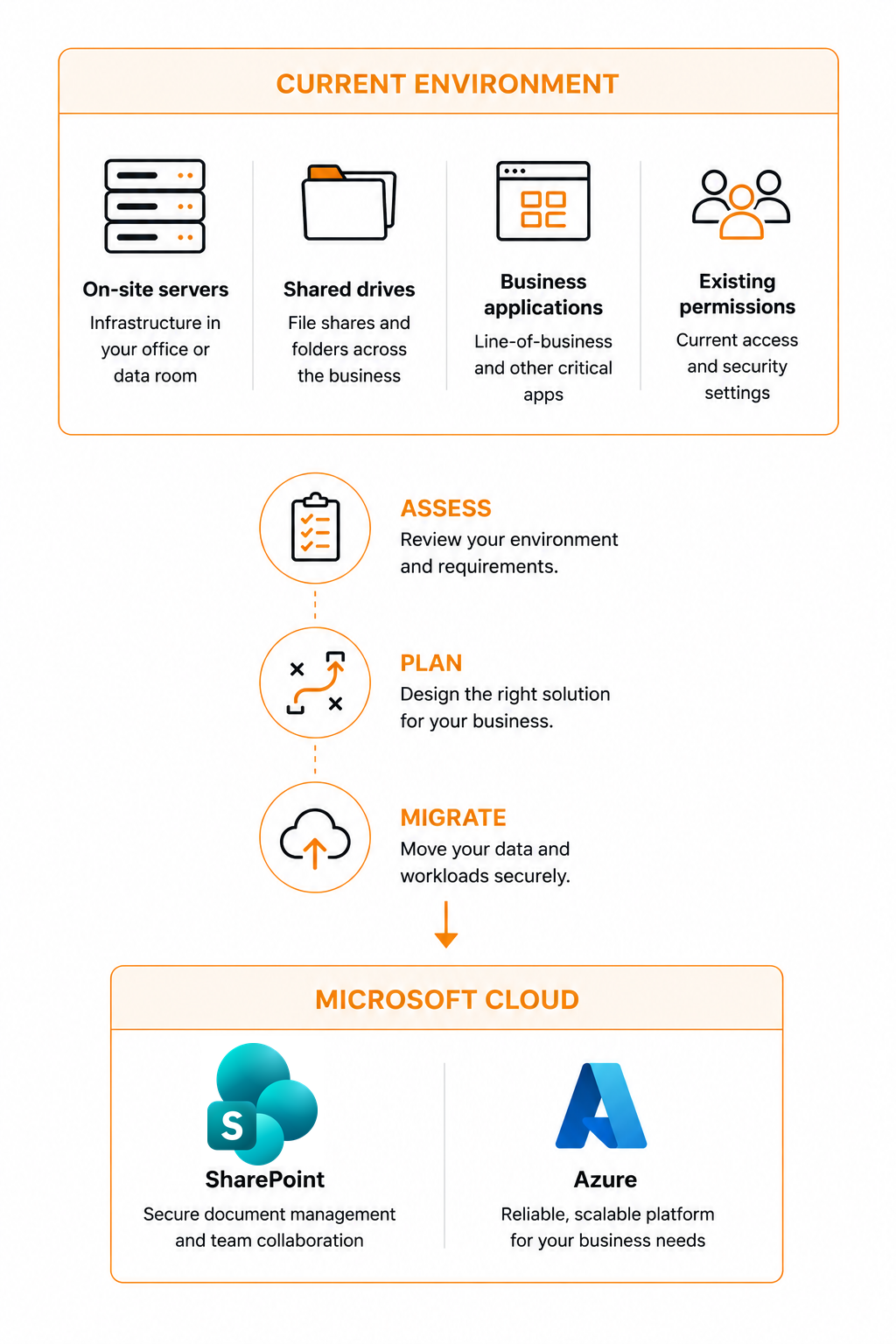
The right approach depends on what your business currently relies on. We help you decide what belongs in SharePoint, what belongs in Azure and what may be better left where it is.
.svg.webp)
Move Files to SharePoint
Move shared files and folders into Microsoft SharePoint with a structure designed around your business. We can review existing permissions, organise document libraries and migrate your data into a more manageable Microsoft 365 environment.

Move Servers to Microsoft Azure
Move suitable servers and business workloads into Microsoft Azure. We assess what your systems need, design the appropriate Azure environment and manage the transition.
Making the decision
SharePoint, Azure, or Leave It Where It Is
Not everything belongs in the cloud, and moving something to the wrong place costs more than leaving it alone. This is the rough shape of how we assess what you run - the detail depends on your systems.
What you have
Usually goes to
Why
Shared drives and company files
SharePoint
Accessible from anywhere, versioned, searchable, and a chance to fix permissions and folder structure while you move.
A file server that only serves files
SharePoint
If the server exists purely to hold documents, moving the files usually means the server can be retired rather than replaced.
Line-of-business applications
Azure
Accounts packages, job systems and industry software that need a server behind them but not a server in your building.
Databases and application servers
Azure
Sized to what the workload actually needs, with the option to scale later rather than buying hardware for a guess at five years' growth.
Very large media or CAD libraries
Often stays
Huge files opened directly over the network can be slower from the cloud. Sometimes a hybrid setup is the honest answer.
Software tied to specific hardware
Often stays
Machine controllers, dongles and equipment that has to sit on the same network. We work around these rather than forcing them.
Our approach
A Cloud Migration Planned Around Your Business
Before anything moves, we understand what you have, who relies on it and what the new environment needs to achieve.
01
Assess
Understand what you have
Review your current files, servers, applications and dependencies.
02
Plan
Decide what should move
Agree the right SharePoint, Azure or hybrid approach before anything changes.
03
Migrate
Manage the transition
Move the agreed data and workloads into the new environment.
04
Support
Keep it working
Support and manage the Microsoft environment after the migration.
Security Built on Recognised Standards
Moving business data is the point at which access and permissions are most exposed. We handle migrations to the same standards we are audited against.
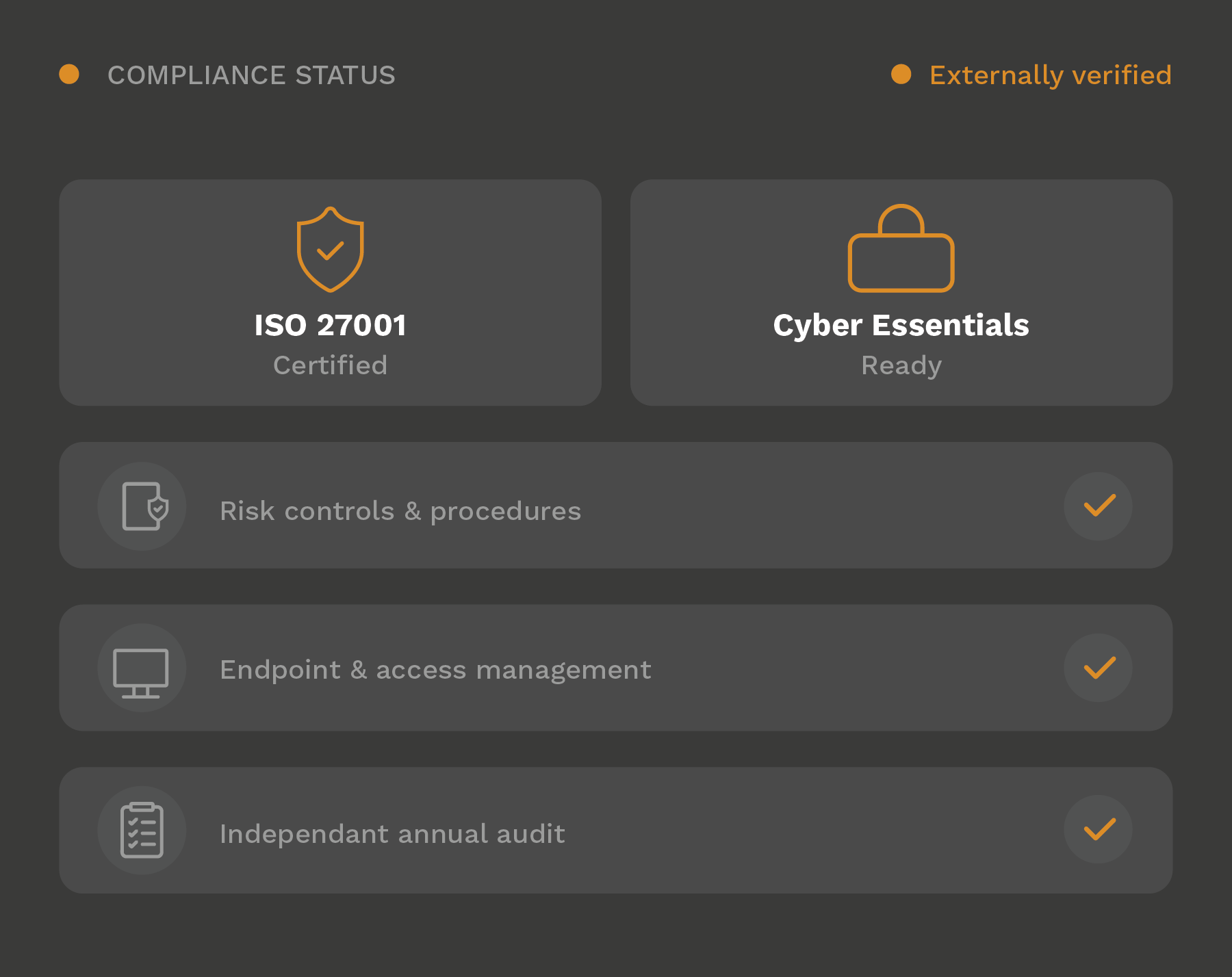
ISO/IEC 27001 Certified
3PS is certified to ISO/IEC 27001, the internationally recognised standard for information security management.
Our security processes and risk controls are independently audited within the scope of our certification. This provides external assurance that information security is managed through documented policies, responsibilities and ongoing review.
Applying the Same Discipline to Your Business
We bring the same structured approach to the environments we manage for our clients.
This helps businesses improve oversight, understand their risks and maintain security controls that are properly documented and regularly reviewed.
Who we support
A migration touches how every person in the business reaches their files and systems, so it is rarely just a technical exercise.
We work with SMEs of 10 to 250 employees, giving them the planning and technical expertise a migration needs without the cost of a dedicated in-house IT team.
Based in Northern Ireland, 3PS supports organisations across the UK and Republic of Ireland.
Employees — our typical client size
Headquartered in Northern Ireland
Client coverage across both regions
We are privileged to support these valued customers


Why Businesses Choose 3PS to Handle Their Migration
A migration is a one-off project with long-lasting consequences. What matters is who plans it, who moves the data, and who is still there when something needs fixing three months later.
The people who move it, support it
The same team that plans and runs your migration manages the environment afterwards. Nothing is handed to someone who was not involved in the move.
On site when it matters
Cutover days go better with someone in the building. We are based in Northern Ireland and can be there rather than talking you through it down a phone.
Migrated to recognised standards
Permissions and access are reviewed as part of the move, not carried over as they were on the old file server. We are ISO 27001 certified.
Talk to Us About Your Cloud Migration
If you are weighing up a move to SharePoint or Azure - or you have been told a server is coming to end of life - it is worth a conversation before anything is committed. We will look at what you currently run, what would move well, what is better left where it is, and what the migration would actually involve for your team. No pressure, just a clear view of your options.
FAQs
Common questions about moving to SharePoint and Azure.
Most of the work happens before anything moves. Data is copied across in advance and kept in sync, so the final switchover is short and usually done outside working hours or over a weekend. You should expect a normal working day either side of it, not a week of disruption.
No. Data is copied rather than moved, and the original stays in place until the new environment is confirmed working. We agree a rollback position before we start, so there is always a way back if something unexpected turns up.
Broadly, files and folders go to SharePoint, while servers and business applications go to Azure. In practice it depends what the server actually does - if it only holds documents it can often be retired entirely. Some things are better left where they are, such as very large media libraries or software tied to specific hardware on your network.
Often, yes - and that is a normal outcome rather than a failure. A hybrid setup keeps what genuinely needs to stay on site and moves everything that benefits from being in the cloud. We would rather tell you something should stay than move it and have you regret it.
It depends on how much data there is and how complex your systems are. A file migration to SharePoint for a small team can be a matter of weeks including planning; moving servers into Azure takes longer because the environment has to be designed and tested first. We give you a timeline after the assessment rather than before it.
Yes. Migrating is when permissions are most worth reviewing, because lifting an old folder structure across also lifts across years of access that was never tidied up. We review who should have access to what as part of the move rather than replicating what was there.
Ready to transform your business?
Contact us today and let's take the next step together.